FAQ for PG Students - Enrollment
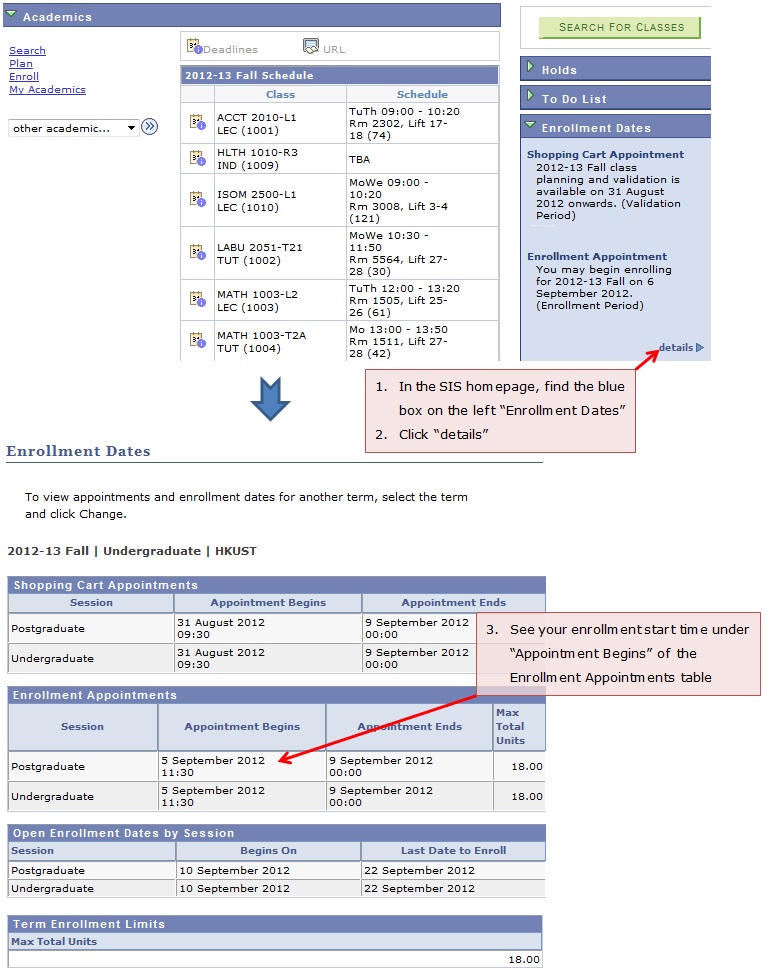
1. How to check my enrollment appointment start time?
2. How are the different timeslots being assigned to students?
UG students would start their enrollment at scattered time distributed across 2 days. Final and third year students will enroll on the first day, followed by the others according to their academic years. There are 8 timeslots on each day; in Fall Term of the academic year, students will be assigned a start time randomly while the sequence will be revered in Spring Term. To check your own start time, refer Question 1.
PG students would start their enrollment at the same time. For the schedule of the current term, please refer to the Academic Registry Course Registration webpage for PG students.
3. How long is my enrollment timeslot?
Beginning from the assigned enrollment start time, students may enroll / drop / swap a course until its add/drop deadline.
4. What are the differences between class enrollment period and the add/drop period?
Most functions (add/drop/swap) are the same in these two periods. However, only in the add/drop period students can submit course audit requests. Also, for most UG courses, reserved seats in the enrollment period will be released as free seats during the add/drop period.
5. Why are there “reserve capacity” in some courses?
For some UG courses, seats would be reserved for students in particular programs during the enrollment period. Students who have officially declared their major or minor (where applicable) in the specified programs can occupy the reserve capacity during this period. Most reserve capacity would be released as free seats when add/drop period starts.
Reserve capacity in PG courses would not be released as free seats unless the instructor / course department intends to do so.
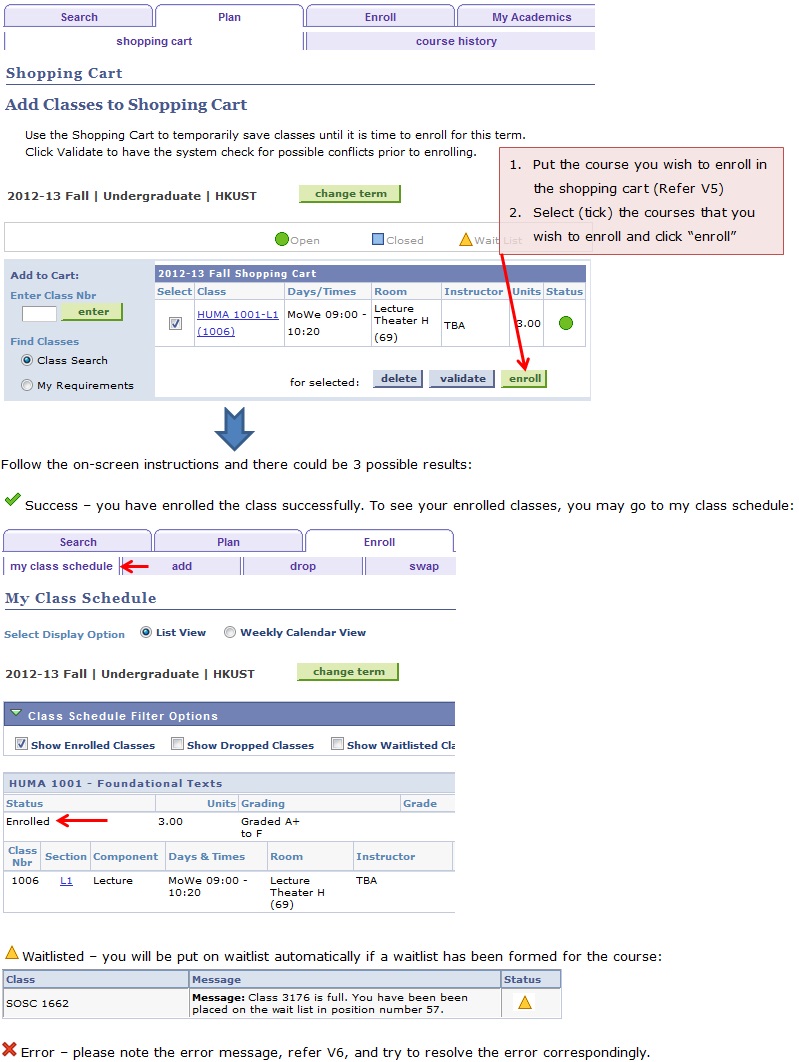
6. How to add (enroll) a course?
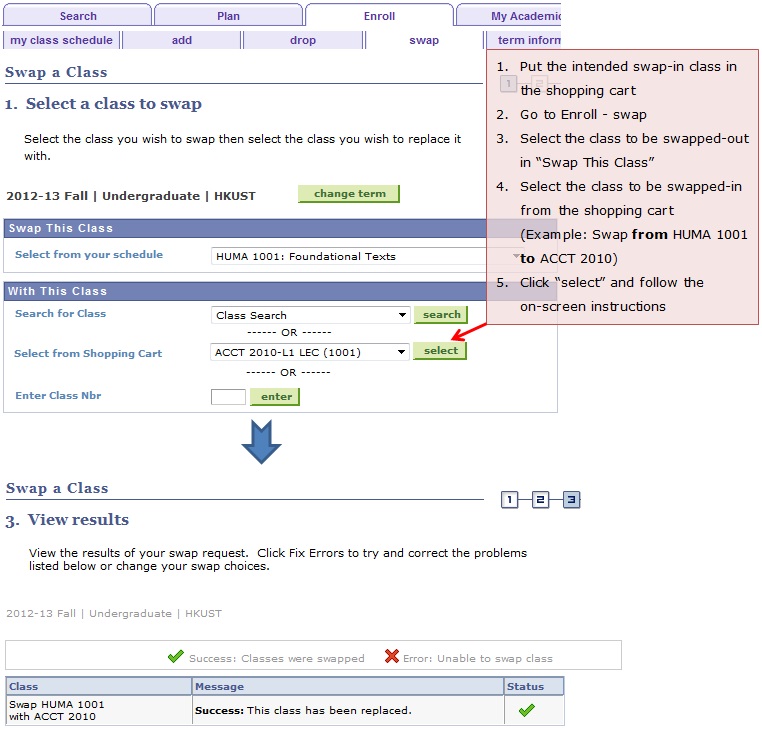
7. How to swap from one course to another?
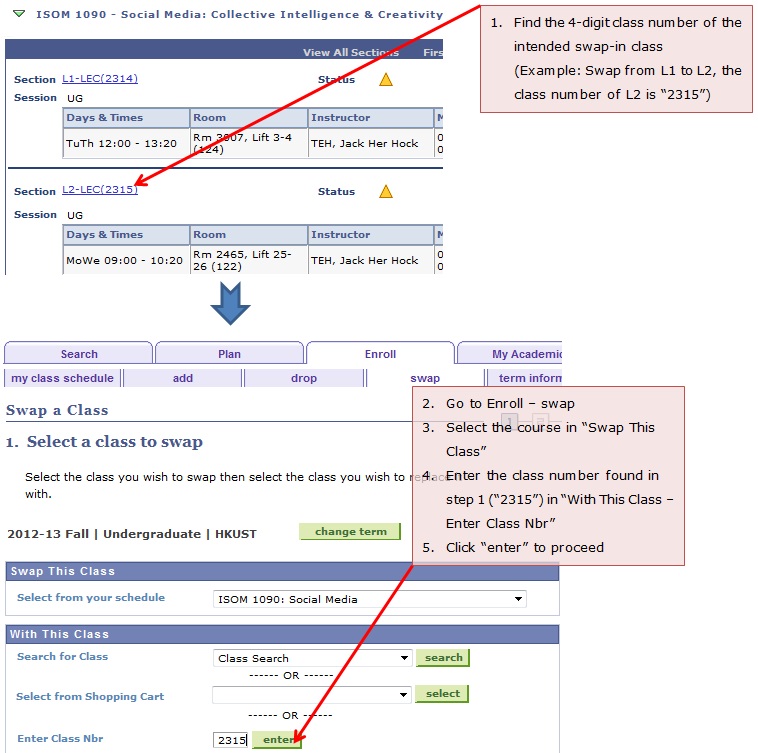
8. How to swap class section within the same course?
9. How can I increase my chance of enrolling in case the course has multiple sections?
If a course has no vacancy yet but there are multiple sections, students may submit add requests to waitlist for different sections at the same time. However, when vacancies arise and should one of the waitlist requests be successfully executed, all other waitlist requests for the same course will be cancelled. The below is an illustration:
| L1. | Status: Add Class Full → Waitlist | When vacancies arise in L1→ | L1 | Status: Enrolled |
|
L2. |
Status: Add Class Full → Waitlist | L2 | Status: Waitlist Request Cancelled | |
| L3. | Status: Add Class Full → Waitlist | L3 | Status: Waitlist Request Cancelled |
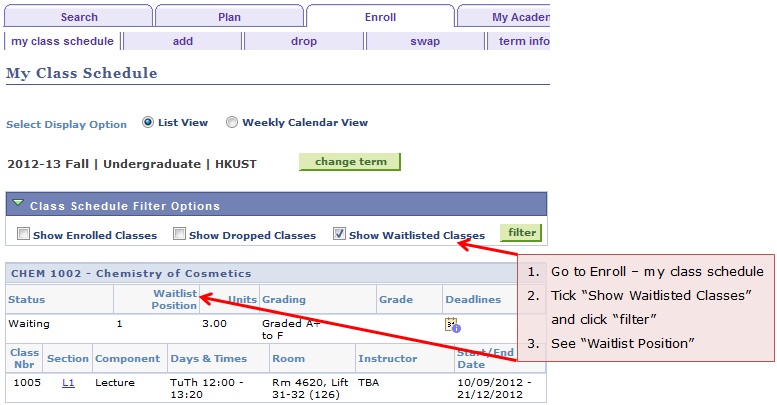
10. How to check my waitlist position?
11. Is there a maximum credit that I can waitlist for?
In regular terms, UG students can waitlist up to 24 credits.
12. I am on the waitlist for a long time without any movements, what are the possible reasons?
It is possible that: 1) your waitlisted class has a time conflict with one of your enrolled class. 2) Your term enrollment limit would be exceeded if this class is enrolled. Under these circumstances, when places are available, the system will assign them to other students in the queue and your waiting position will remain the same.
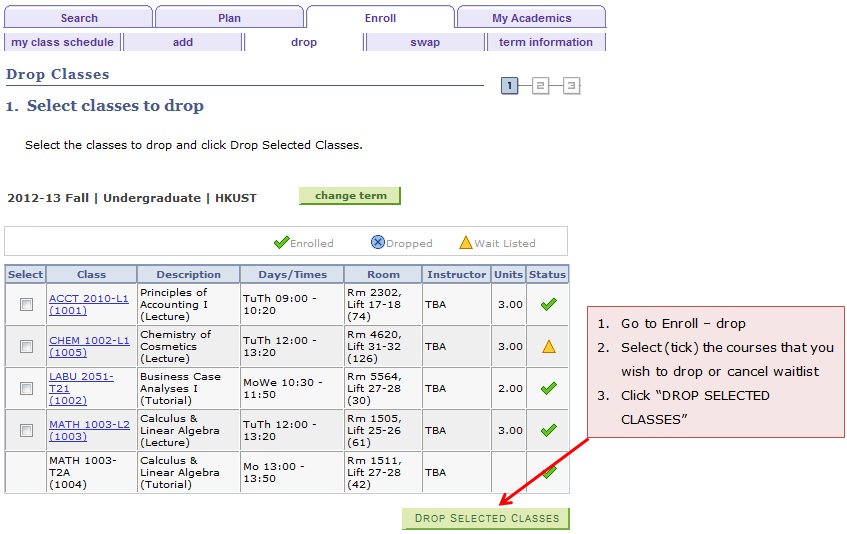
13. How to drop a class or cancel a waitlist request?